Titan Drive allows you to easily share files between users.
Drive Versions in TOTAL's Forms PowerView is an archive of the
revisions made by users in other locations. Each time a file is modified from a
different user/computer combination, and those changes are uploaded or stored in
Titan Drive, the previous version is added to the archive to ensure files
aren't accidentally overwritten.
To access the archive of Drive Versions and view the differences between your
TOTAL report and any versions stored in Titan Drive:
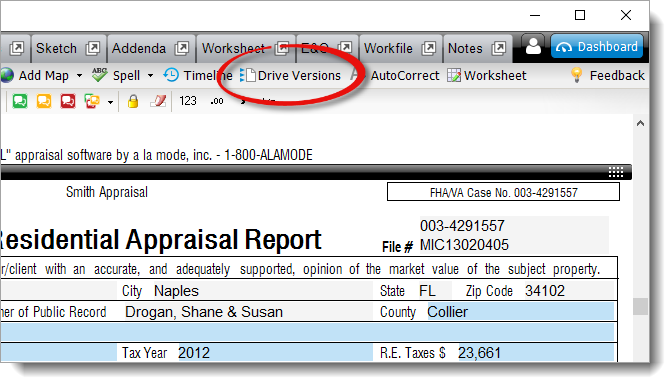
- With your report open in TOTAL click Drive Versions in
the toolbar at the top.
- In the window that appears, the archive list displays each version of the
file, the username and location where a specific version was edited and by
whom, as well as the date and time it was last modified. Select an archived
version to load the contents of that version and view the differences.
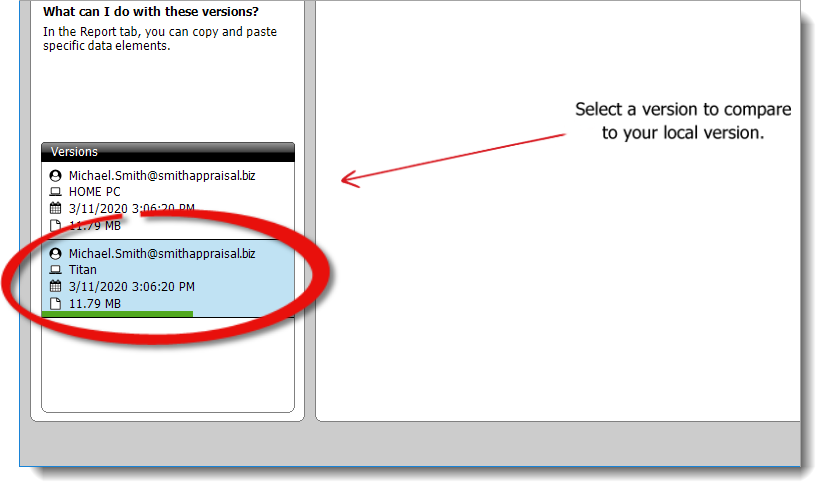
Depending on the file size of the version you selected, it may take a
moment or two to download and display the contents of the report. When you
select a version, a green progress bar appears to show you where it's at in
the process of downloading and displaying the version you
selected.
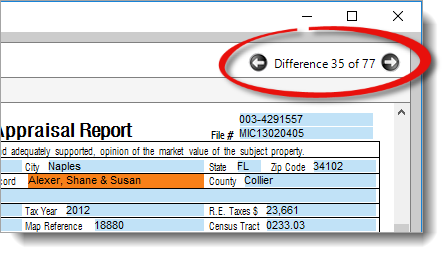
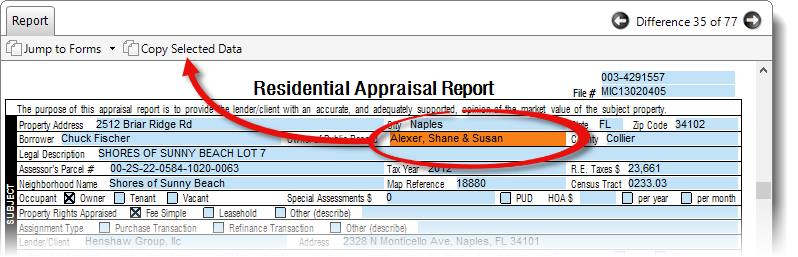
- Once the report is loaded, scroll through the report, or use the back and
next arrows (
 /
/  ) on the upper right to
cycle through the differences between the selected version and the report you
have open in TOTAL. Differences are highlighted in orange.
) on the upper right to
cycle through the differences between the selected version and the report you
have open in TOTAL. Differences are highlighted in orange.
- To copy the data from the Titan Drive version of the report to your
report in TOTAL, place your cursor in the field where the difference occurs,
and click Copy Selected Data. You can also press
Ctrl+C on your keyboard to copy the data.
- Then, place your cursor in the same field in your report, press
Ctrl+K on your keyboard to clear all data
from that field (if necessary), and press
Ctrl+V to paste the data into your report.
There's no need to press Ctrl+K to
clear data from the field if the field in your report is blank, or you just
want to append the data from the Titan Drive version to the data in
your report. Simply place your cursor in the field (after any existing data
if you're appending), and press Ctrl+V to
paste.
- When you're finished reviewing differences and/or transferring data from
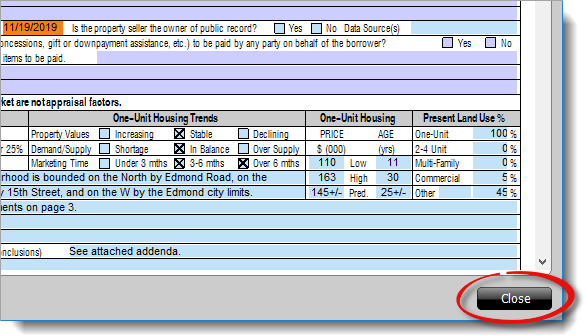
the Drive Version to your TOTAL report, click Close on the
lower right.