 ) in the Worksheet
Toolbar. The background color of the cell in your Worksheet changes to red to
indicate it's a linked field.
) in the Worksheet
Toolbar. The background color of the cell in your Worksheet changes to red to
indicate it's a linked field.
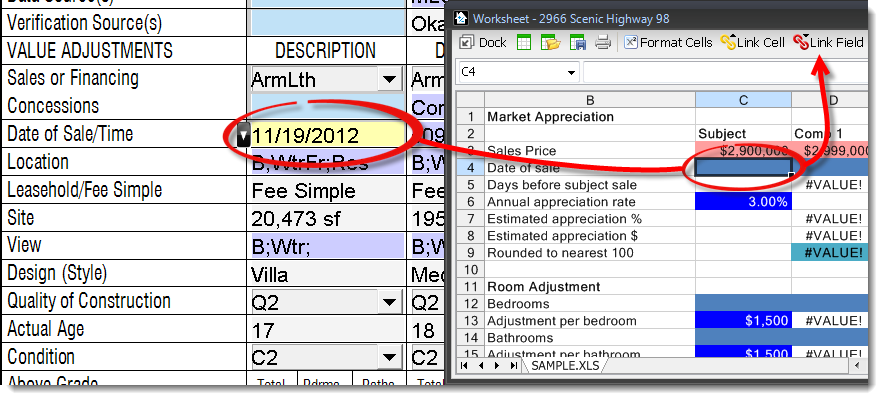
Once your Worksheet is open, you can link data from any field on your form into any cell in the Worksheet.
) in the Worksheet
Toolbar. The background color of the cell in your Worksheet changes to red to
indicate it's a linked field.
Once they're linked, the field data from the form transfers into the Worksheet cell. To demonstrate it's a live link, change the field on the form and watch it change in the Worksheet as soon as you press Enter, or when your cursor leaves the field!
You can link fields from more than one form in your report. However, fields must be linked to and from the Forms PowerView — linking fields and cells in other PowerViews is not supported.
Taking data from your Worksheet and inserting it into a form is just the reverse:
 ) in the Worksheet
toolbar.
) in the Worksheet
toolbar. Once they're linked, the cell background turns yellow to indicate it's a linked field.
When linking fields, keep in mind that you're unable to link to checkboxes, only text and/or number fields.