Only photo pages specifically labeled for subject, interior, and comparable photos import into TOTAL's Quickpix Database when syncing. For example, photos on a photograph addendum page do not import into the database.
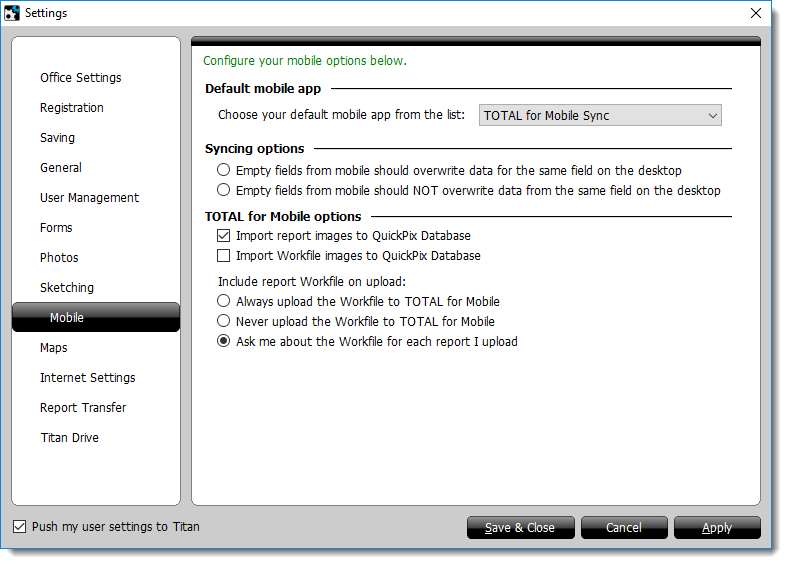
To update your mobile settings:
Only photo pages specifically labeled for subject, interior, and comparable photos import into TOTAL's Quickpix Database when syncing. For example, photos on a photograph addendum page do not import into the database.