The Order Form, available in the Assignment PowerView in every TOTAL report, contains all of the basic order info such as the report contacts, subject information, and additional information like an order map and directions to the subject property. To edit the report's order form:
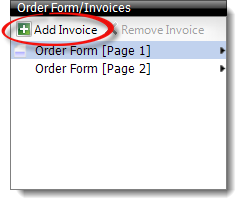
Add an invoice to your report at any time using the Order Form/Invoices pane on the left side of the Assignment PowerView.
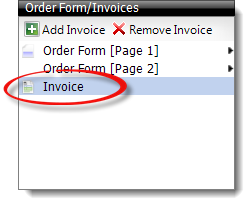
Once you've added an invoice to your report, select it in the Order Form/Invoices pane to view it from the Assignment PowerView. You can also send a PDF copy of your invoice using your default email application by clicking Send Invoice in the top toolbar.
You must have an email client installed on your computer and configured with an email address in order to use the Send Invoice function. If you don't, or if you use a webmail application like Yahoo or Gmail, follow the instructions for printing your report to PDF (selecting only the invoice) and then manually attach that to an email message.
To make it easier to keep track of your appointments, TOTAL includes a feature to export inspection details to Microsoft® Outlook. To export your appointment details to Outlook:
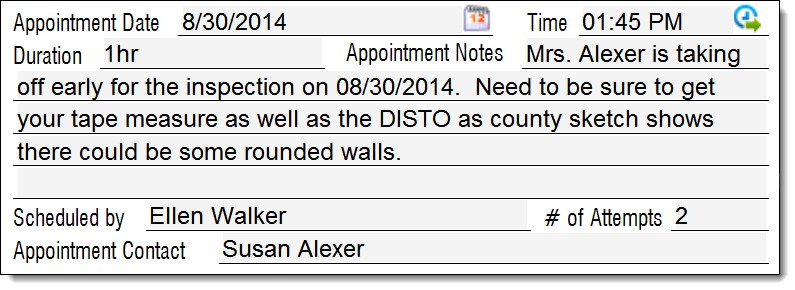
 ), make any changes to the
appointment, then click Export.
), make any changes to the
appointment, then click Export.
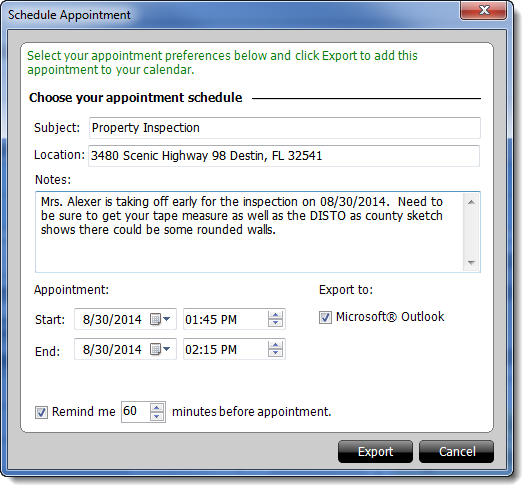
That's it! Your appointment has now been exported to Outlook, and is available in Outlook's Calendar.